
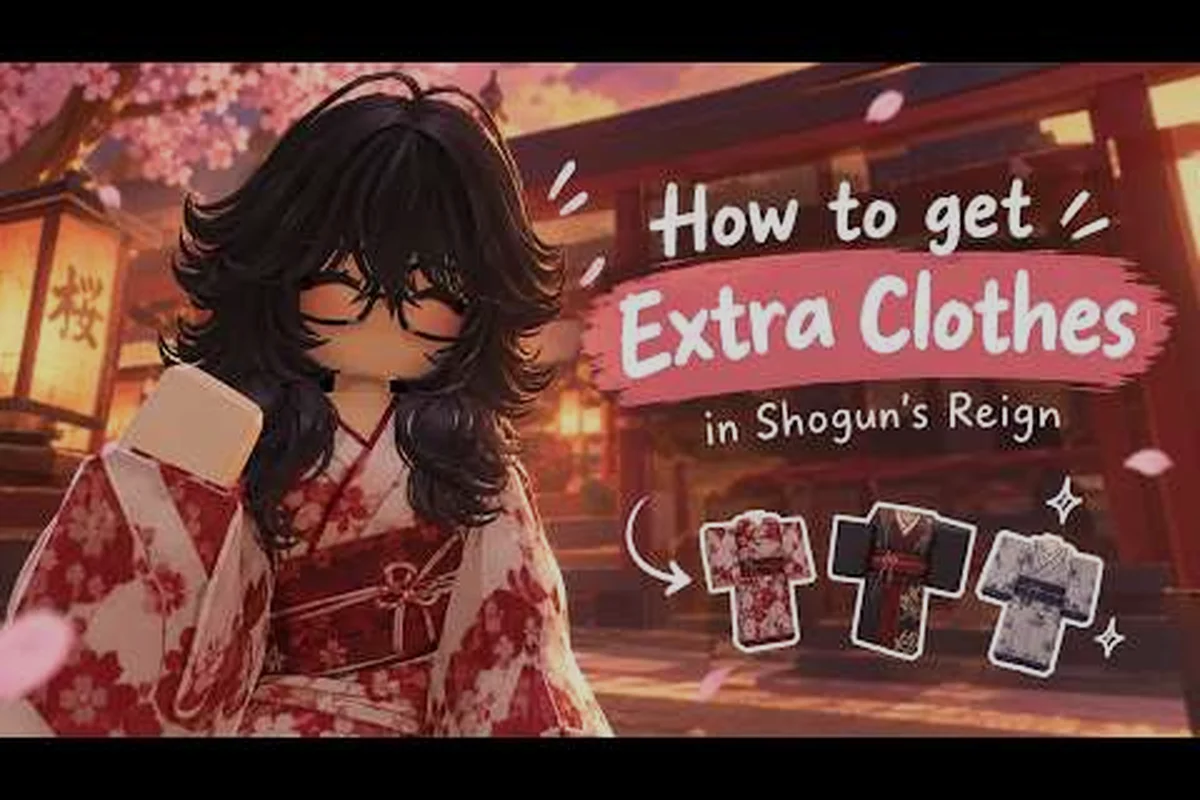
Losing a carefully built avatar in Shogun's Reign is frustrating, especially after stacking accessories, layering kimono tints, and binding your favorite gestures. Saving your character properly keeps every dye, hair cut, and emote slot locked in place, so you can rejoin any server and pick up where you left off. This guide walks through the exact save workflow, the emote system, and the accessory shortcuts that experienced players use to keep their Edo-period builds consistent across sessions.
Why the Save System Matters in Shogun's Reign
Shogun's Reign runs as a Roblox roleplay experience inspired by Edo-period Kyoto, where players climb the social ladder from villager to Shogun through farming, craft, trade, combat, reputation, and influence. The official Shogun's Reign game page on Roblox reports over 3.2 million visits and roughly 6,600 concurrent players as of September 2026, which means crowded servers, frequent server hops, and plenty of chances for unsaved progress to vanish. Because progression includes clothing choices, accessory layering, and social status, your visual identity is part of your progression, not just decoration.
The save system is tied to your Roblox account, but several steps inside the game determine what actually gets stored. Skipping a confirmation prompt or closing a menu too early can leave the latest accessories or emotes unsynced. Players who ignore the save flow often return to find their last outfit reset or their emote wheel empty. Treating the save process as a deliberate ritual, similar to how Shogun's Reign beginner guide recommends setting early routines, prevents most of these headaches.
Community testing on the official Roblox group for Shogun's Reign consistently flags saving as the number one cause of lost customization, ahead of inventory bugs and connection drops. The reason is simple: the game treats visual customization as a layered system, and each layer needs a separate confirmation. The sections below cover each layer, from the core avatar to the emote wheel, so nothing slips through.
| Save Layer | What It Stores | Failure Symptom | Fix |
|---|---|---|---|
| Avatar Outfit | Kimono, armor, hair, dye | Outfit reverts to default | Reopen wardrobe, re-equip, confirm twice |
| Accessory Binds | Hat, mask, fan, jewelry | Accessories disappear | Rebind from inventory, not trade window |
| Emote Slots | Eight saved gestures | Emote wheel shows blanks | Reassign from emote menu, then save |
| Nameplate Title | Earned social title | Title resets to villager | Re-equip from profile menu, not chat |
The Core Save Workflow for Your Character
The fastest path to a stable avatar begins before you even leave the wardrobe menu. Players who treat saving as a final tap on a Save button often miss the layered confirmations that Shogun's Reign hides behind side panels. The proper sequence takes about thirty seconds once you know the order, and it protects every customization layer at once.
Step-by-Step Save Sequence
Start by opening the wardrobe from the main menu, which is usually mapped to a corner icon shaped like a folded kimono. Make every outfit change first: kimono, hair, armor plates, and dye. Next, switch to the accessory tab and verify that each bound item shows a green checkmark. The accessory tab is where most saves fail, because the game treats certain items as event-locked or trade-only, and they will not persist unless confirmed inside the wardrobe rather than the inventory screen.
Move to the emote menu, which lives in a separate panel on the right side of the wardrobe. Assign up to eight emotes to your wheel, prioritizing the gestures you use most in roleplay. After you close the emote panel, the game pushes a hidden sync prompt that asks whether your customization is final. Tap Confirm, then wait for the spinning save icon to stop before teleporting or logging out. According to community reports, closing the menu during this sync is the most common reason saves fail silently.
| Step | Action | Wait For | Common Mistake |
|---|---|---|---|
| 1 | Open wardrobe | Menu fully loaded | Skipping to accessories first |
| 2 | Equip outfit and dye | Green checkmark | Saving before dye applies |
| 3 | Bind accessories | Inventory icon glows | Confirming in trade window |
| 4 | Assign emote slots | Wheel preview updates | Skipping emote sync |
| 5 | Confirm save prompt | Spinning icon stops | Logging out mid-sync |
When the Save Fails Anyway
Even with the right sequence, a few edge cases can wipe progress. Server lag during peak hours sometimes drops the final sync packet, and the game silently rolls back to the last confirmed state. Re-entering the wardrobe and re-equipping the same items usually forces a fresh save, but if the emote wheel still shows blanks, you may need to leave the server and rejoin. Players have noted on the Reddit discussion about games like Shogun's Reign that rejoining on a less crowded server resolves most sync stalls.
Shogun's Reign Emotes and the Emote Wheel
Emotes are social currency in Shogun's Reign, and the emote wheel is the fastest way to express roleplay intent during crowded market scenes or duels. The full Shogun's Reign emote list covers roughly forty gestures at launch, ranging from a respectful bow to a victory pose after a boss fight. Some emotes are unlocked by default, while others require reputation thresholds, seasonal events, or specific accessory combos. Because the wheel only holds eight slots, the art of using Shogun's Reign emotes well is choosing which gestures you want within thumb's reach.
Unlocking More Emotes
The base emote set is available the moment you spawn, but the most expressive gestures sit behind progression walls. Bowing variants, vendor haggling motions, and combat flourishes unlock as you climb the social ranks, which makes the emote list a soft measure of your standing in the server. Seasonal events add limited-time emotes such as festival drums or lantern dances, and these vanish from the wheel if you do not re-equip them after the event ends. Community testing suggests that emotes tied to accessories, like a tea ceremony motion that only works while holding a teacup, persist as long as the accessory stays bound.
Shogun's Reign How to Emote in Any Situation
Knowing Shogun's Reign how to emote correctly matters because the input changes by context. On PC the default binding opens the wheel with a single key, after which you click or press a number to fire the gesture. On mobile, the wheel opens with a two-finger tap on the screen edge, which can collide with movement controls until you adjust sensitivity in the settings menu. Console players, if supported by their platform, access the wheel through a bumper hold that pauses combat timers. Once the wheel is open, slot numbers stay consistent across devices, which makes planning your eight slots straightforward regardless of how you play.
| Emote Slot | Best Gesture Type | Roleplay Use | Unlock Path |
|---|---|---|---|
| 1 | Bow or salute | Meeting a superior | Default |
| 2 | Trade offer | Market haggling | Merchant rank 2 |
| 3 | Combat stance | Duel initiation | Warrior rank 1 |
| 4 | Victory pose | After a boss kill | Boss clear reward |
| 5 | Tea ceremony | Peaceful RP scenes | Tea set accessory |
| 6 | Laugh or clap | Social bonding | Villager rank 3 |
| 7 | Sit or meditate | Tavern roleplay | Default |
| 8 | Dance or festival | Event moments | Seasonal event |
Shogun's Reign Accessories and Binding Strategy
Accessories are the detail layer that separates a generic villager from a recognizable character, and Shogun's Reign accessories include hats, masks, fans, prayer beads, and weapon charms. Each slot accepts only one item at a time, but the visual stacking of a hat over a hood over hair gives the silhouette depth that pure outfits cannot match. The binding system ties accessories to your avatar save, and unbinding them through the trade window sometimes clears the slot without warning, so experienced players always rebind inside the wardrobe rather than mid-trade.
Accessory Slot Layout
There are six primary accessory slots in the current build: headwear, face, back, hand, waist, and charm. Headwear covers wide hats and helmets, face accepts masks and eyewear, back holds cloaks and banners, hand binds weapons and tools, waist takes sashes and tool rolls, and charm stores small trinkets that dangle from the kimono collar. Because the game renders accessories in a fixed order from top to bottom, layering order matters. A wide hat always covers a smaller headband, but a back banner shows above a cloak only if the cloak is set to the lighter tint.
Building a Cohesive Accessory Set
A strong accessory set tells a story without words. A traveling merchant might pair a wide straw hat, a coin pouch at the waist, and a folded fan in the hand, while a shrine attendant uses a prayer bead charm, a pale face veil, and a wooden back banner. The game rewards cohesion with subtle set bonuses, like a small reputation boost when three matching-faction accessories are worn at once, so planning the set before you start binding saves time. The customization depth pairs well with the broader outfit planning covered in the Shogun's Reign outfit ideas guide, which walks through the first five wardrobe pieces worth chasing.
| Slot | Beginner Pick | Mid-Game Swap | Late-Game Goal |
|---|---|---|---|
| Headwear | Village hood | Wide straw hat | Ceremonial kabuto |
| Face | Cloth mask | Painted mempo | Oni half-mask |
| Back | Plain cloak | Merchant banner | Shrine banner |
| Hand | Wooden fan | Iron war fan | Lacquered war fan |
| Waist | Rope belt | Coin pouch | Tool roll with charms |
| Charm | Wooden bead | Prayer bead set | Jade pendant |
Cross-Server and Cross-Device Consistency
Because Shogun's Reign runs on Roblox and supports cross-platform play, your save should travel between PC, mobile, and console as long as you stay logged into the same account. In practice, the cloud save covers outfit and accessory data almost immediately, but the emote wheel sometimes lags a few minutes behind, especially after a server crash. Logging out cleanly through the in-game menu, rather than force-closing the Roblox client, is the simplest way to keep every layer in sync before a device switch.
Players who run private servers for their group or friends should note that emote unlocks tied to seasonal events sometimes do not propagate to private instances on the same day. The official Things You NEED to Know in Shogun's Reign video by imbored covers early emote timing, and the developer typically patches propagation within a few days. Until then, switching back to a public server and reloading the wardrobe forces the latest emote set into your save.
For long-term safety, take a screenshot of your full loadout, including all six accessory slots and the eight emote wheel entries. The screenshot doubles as a reference when rebuilding after a rare full reset, and it also makes sharing your look with the community much easier, since the in-game export code feature only captures the outfit and not the emotes.
Frequently Asked Questions
What is the fastest way to save a character in Shogun's Reign?
Open the wardrobe, equip your outfit and accessories, assign your eight emote slots, then confirm the hidden save prompt and wait for the spinning icon to stop. Logging out through the in-game menu right after the save finalizes the cloud sync.
How many emotes can I bind to the wheel at once?
The emote wheel holds eight slots at a time, but the full Shogun's Reign emote list includes around forty gestures. Swap entries from the emote menu whenever you change roleplay scenes, and re-save after each swap to avoid losing bindings.
Do accessories save across server resets?
Yes, as long as you bind them inside the wardrobe and not the trade window, and as long as you confirm the save prompt before the server restarts. Event-limited accessories may disappear if the event window closes before your save syncs.
Can I use the same save on mobile and PC?
Yes, the save is tied to your Roblox account, so logging into the same profile on either device restores your outfit, accessories, and most emotes. Allow a few minutes for the emote wheel to fully repopulate after a device switch.
Why does my emote wheel show blanks after a server hop?
The emote sync is the last layer to finalize, and crowded servers sometimes drop the packet. Reopen the wardrobe, re-assign the same eight emotes, confirm the save prompt, and switch servers once more to force a clean resync.